

Local SEO Tips to Rank Your Business on Google Maps
In today’s digital age, businesses can no longer rely only on word-of-mouth or traditional marketing to get customers. Whether you run a local shop, a small service business, or a growing startup, having your business show up on Google Maps can make all the difference. Think about it: when someone searches for “pizza near me” or “best digital marketing course in Surat,” they’re most likely going to click on one of the top 3 results on the map.
That’s the power of Local SEO (Search Engine Optimization). If your business is not optimized for local searches, you’re missing out on a massive opportunity to attract real customers right in your neighborhood. The good news? With the right strategies, you can rank your business on Google Maps and bring more customers to your doorstep.
In this blog by Digital Dhruv, we’ll break down actionable Local SEO tips that will help you rank higher on Google Maps, improve your visibility, and grow your business.
What is Local SEO?
Local SEO is the process of optimizing your online presence to attract customers from relevant local searches. These searches happen on Google and other search engines. For example, if someone searches for “digital marketing institute near me” or “best salon in Surat”, Google shows results based on location, relevance, and business information.
Google Maps plays a huge role here. When your business listing appears in the Google Local Pack (the top 3 business results on the map), you gain more trust and clicks compared to businesses that don’t.
Why Ranking on Google Maps Matters
- More Visibility: Google Maps listings are often the first thing people see.
- Higher Trust: Customers trust Google-recommended businesses.
- Better Conversions: Local searchers have strong intent to buy. For example, someone searching “dentist near me” is ready to book an appointment.
- Mobile Advantage: With so many searches happening on mobile, Maps results dominate.
In short, ranking on Google Maps = more leads + more sales.
Local SEO Tips to Rank on Google Maps
Here are some proven strategies you can start implementing today.
1. Claim and Optimize Your Google Business Profile (GBP)
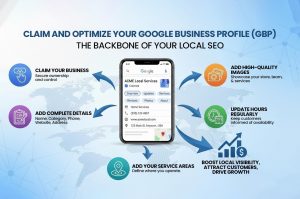
Your Google Business Profile (formerly Google My Business) is the backbone of your local SEO. Make sure you:
- Claim your business on Google Business Profile.
- Add complete and accurate details: business name, category, phone number, website, address.
- Add high-quality images of your store, team, or services.
- Update business hours regularly.
- Add your service areas.
Pro Tip: Use keywords naturally in your business description. For example: “Digital Dhruv is a leading digital marketing institute in India offering SEO, Google Ads, and social media courses.”
2. Use the Right Local Keywords
Keywords are the heart of SEO. For local SEO, focus on long-tail and geo-targeted keywords. Examples:
- Short-tail: “digital marketing”
- Long-tail: “best digital marketing course for beginners in Delhi”
- Branded: “Digital Dhruv SEO course”
- Non-branded: “SEO course near me”
- LSI (Latent Semantic Indexing): “search engine optimization training,” “learn digital ads,” “Google Maps marketing”
Use a mix of these keywords in:
- Your website content
- Google Business Profile
- Blog posts
- Social media captions
3. Collect Positive Reviews
Reviews are social proof and a big ranking factor for Google Maps.
- Encourage happy customers to leave reviews.
- Respond to reviews professionally (both positive and negative).
- Use keywords naturally in responses.
For example, reply like: “Thank you for choosing Digital Dhruv’s digital marketing course in Indore. We’re glad you found our SEO and Google Ads modules helpful!”
4. Build Local Citations
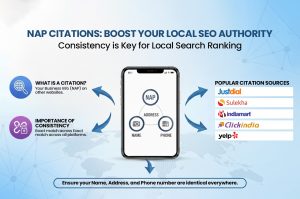
A citation is when your business’s Name, Address, and Phone number (NAP) appears on other websites or directories.
Popular citation sources:
- Justdial
- Sulekha
- Yelp
- Yellow Pages
- Local Chamber of Commerce website
Consistency is key. Ensure your business details match exactly across all platforms.
5. Add Location Pages to Your Website
If you serve multiple areas, create dedicated location pages.
Example:
- digitaldhruv.com/seo-course-delhi
- digitaldhruv.com/digital-marketing-indore
On these pages, include:
- Local keywords
- Testimonials from students in that area
- Google Map embed
6. Create Local Content
Blogs are powerful for ranking. Write content that speaks directly to local audiences.
Examples:
- “Top 5 Career Options After Completing a Digital Marketing Course in Indore”
- “How Businesses in Bhopal Can Grow Using Google Ads”
This not only attracts local readers but also signals Google that your business is relevant in that location.
7. Build Local Backlinks
Backlinks = votes of confidence. To rank higher:
- Collaborate with local bloggers.
- Partner with nearby businesses.
- Get featured in local online newspapers.
- Sponsor local events and get a link.
8. Optimize for Mobile Users
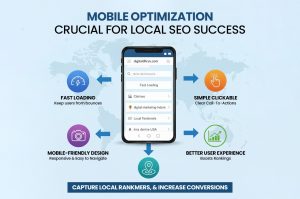
Most local searches happen on mobile. Make sure:
- Your website loads fast.
- It is mobile-friendly.
- The design is simple and clickable.
9. Post Regular Updates on GBP
Google loves active businesses. Use your Google Business Profile like a social media platform:
- Share offers, updates, or blogs.
- Post pictures of new batches, events, or student success stories.
10. Leverage Social Media for Local SEO
Though social media doesn’t directly impact Google Maps ranking, it increases visibility.
- Share location-based hashtags (#IndoreSEO, #DigitalMarketingDelhi)
- Tag your location in posts.
- Encourage check-ins from students/customers.
11. Track and Measure Your Results
Use tools like:
- Google Analytics
- Google Search Console
- GBP Insights
Check:
- How many calls or website visits came from your profile.
- Which keywords are driving traffic.
- Which areas bring maximum leads.
Mistakes to Avoid in Local SEO
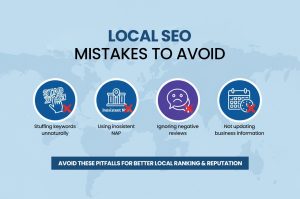
- Stuffing keywords unnaturally
- Using inconsistent NAP (Name, Address, Phone)
- Ignoring negative reviews
- Not updating business information
Final Thoughts
Ranking your business on Google Maps is not an overnight process. It requires consistent effort, the right strategies, and smart optimization. But once you start showing up in the top 3 local results, the benefits are long-lasting — more visibility, trust, and sales.
At Digital Dhruv, we specialize in teaching practical digital marketing and SEO strategies that actually work. If you want to master Local SEO, Google Ads, Social Media, and more, join our Digital Marketing Course today. Learn from experts, get hands-on practice, and take your career or business to the next level.
🚀 Don’t just learn digital marketing, live it. Visit digitaldhruv.com and enroll now!